
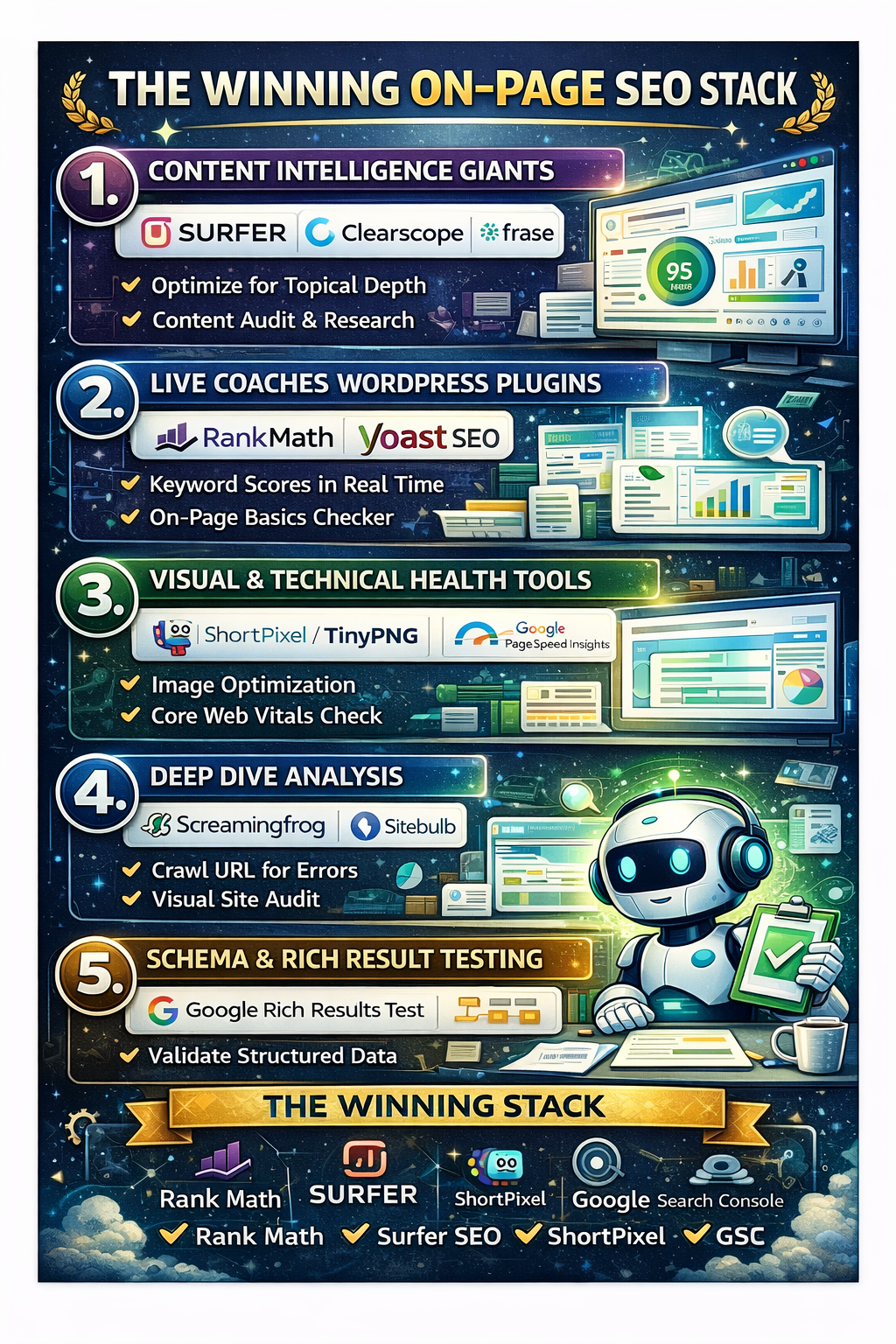
1. The Content Intelligence Giants (Semantic Optimization)
Modern search engines use Natural Language Processing (NLP) to understand the “context” of a page. These tools help you ensure your content covers a topic comprehensively, not just repetitively.
-
Surfer SEO: This is the industry standard for “Content Auditing.” Surfer analyzes the top-ranking pages for your target keyword and provides a real-time “Content Score.” It tells you exactly which terms, headings, and images you need to add to match the winning “density” of your competitors.
-
Clearscope: Often favored by enterprise teams, Clearscope focuses on content relevance. It provides a letter grade (A+ to F) based on how well you’ve covered the “entities” (related sub-topics) that search engines expect to see.
-
Frase: Excellent for the research phase. Frase automatically pulls the “People Also Ask” questions and competitor outlines, helping you build a page that answers every possible user intent in one go.
2. Real-Time “Live Coaches” (WordPress & CMS Plugins)
If you use a CMS like WordPress, these tools act as a second pair of eyes while you are actually typing your post.
-
Rank Math: Currently the most powerful SEO plugin for WordPress. It offers a “Focus Keyword” analysis, checks your “Readability” (how easy it is for a human to scan), and even helps you automate Schema Markup—the hidden code that helps you win Featured Snippets.
-
Yoast SEO: The classic choice. While simpler than Rank Math, its “Red Light/Green Light” system is perfect for ensuring you haven’t forgotten basics like meta descriptions, slug length, and sub-heading distribution.
3. Visual & Technical Health Tools
On-page SEO isn’t just text; it’s the experience of that text. If your images are too heavy or your layout shifts, your rankings will suffer.
-
ShortPixel / TinyPNG: These are essential for image optimization. They compress your photos without losing quality. In 2026, if your images aren’t in WebP or Avif format, you are losing the “Page Speed” battle.
-
Google PageSpeed Insights: This is the definitive “truth” for On-Page performance. It measures your Core Web Vitals—the specific metrics Google uses to judge if your page is “frustrating” or “smooth” for a user.
4. The “Deep Dive” Analysis (Scanning for Errors)
Sometimes on-page issues are hidden in the code. These tools crawl your specific URLs to find “silent killers.“
-
Screaming Frog SEO Spider: While often used for site-wide audits, it is incredible for on-page work. You can crawl a specific folder to find pages with missing H1 tags, duplicate meta descriptions, or oversized images.
-
Sitebulb: This tool provides a “Visual Audit.” It maps out your page’s heading hierarchy (H1 -> H2 -> H3) to ensure you have a logical structure that both humans and bots can follow.
5. Schema & Rich Result Testing
In 2026, “On-Page” includes the metadata that tells search engines what your data is (e.g., a recipe, a review, or a product).
-
Google’s Rich Results Test: This is a free tool where you paste your URL to see if your “Schema Markup” is working. If it’s valid, you have a much higher chance of appearing with “Stars” or “Price info” directly in the search results.
-
Merkle Schema Generator: A simple, browser-based tool that writes the code for you. You just fill in the blanks, and it spits out the
JSON-LDcode to paste into your page.
Summary: The “Winning Stack”
You don’t need every tool on this list. For most creators, a Winning On-Page Stack looks like this:
-
Rank Math (For basics and Schema)
-
Surfer SEO (For content depth)
-
ShortPixel (For speed)
-
Google Search Console (To see what’s actually working)
The Bottom Line: Tools provide the data, but you provide the Experience. Use these tools to polish your page, but never let them override the human “voice” that makes your content worth reading in the first place.

 Chelsea Boots